
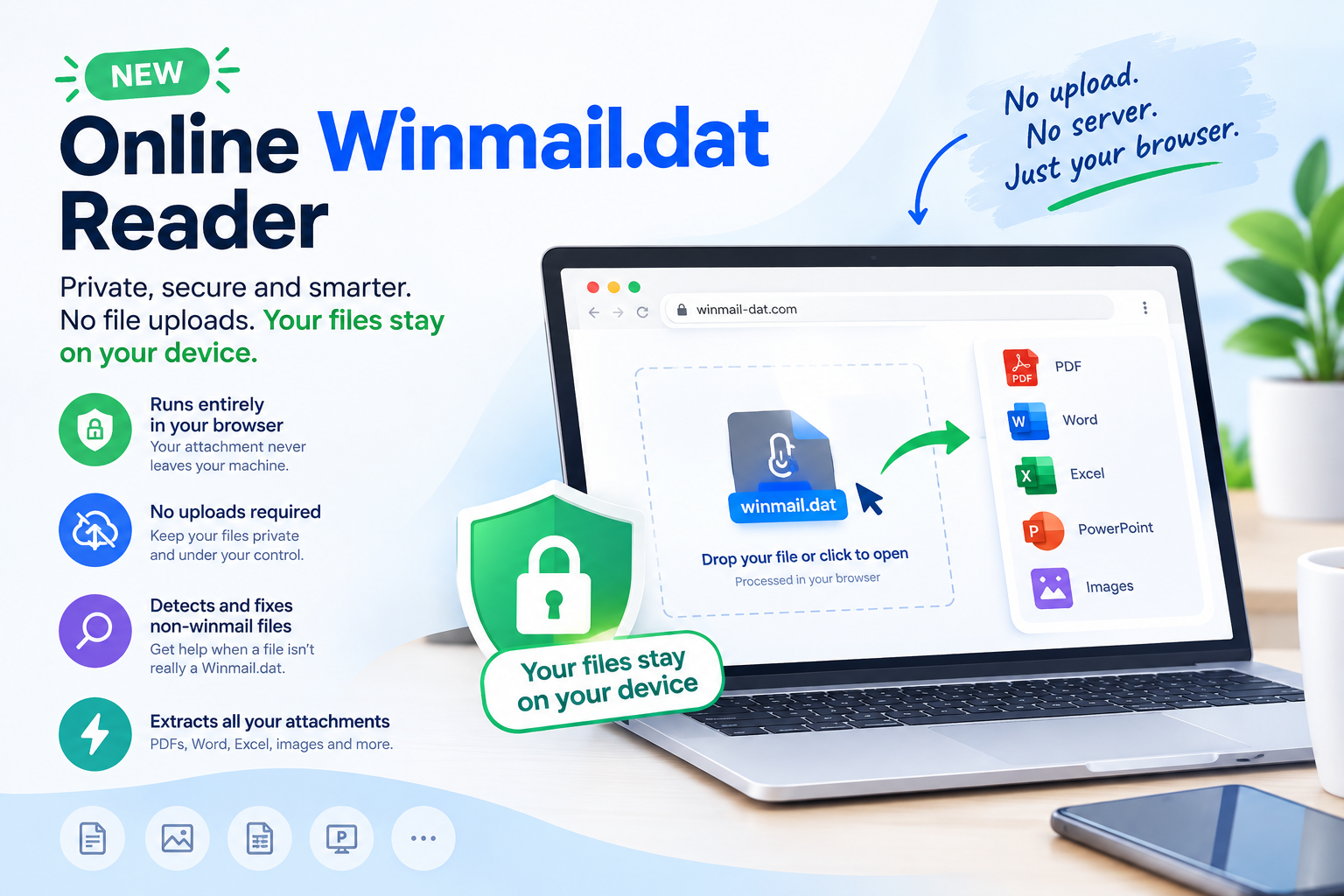
Need to open a winmail.dat attachment? Our new online Winmail.dat Reader makes it easier than ever to extract email attachments, with a major improvement in privacy: everything is processed directly in your browser.
Unlike traditional online file converters that require you to upload your files to a server, the new version of our Winmail.dat reader runs entirely on your device. Your attachments never leave your machine. There is no need to upload sensitive documents to a remote server just to open an email attachment.
And that’s not all. The new reader is also smarter about identifying files that aren’t really Winmail.dat files, helping you diagnose and fix common attachment problems.
Open Winmail.dat Files Online Without Uploading Them
One of the biggest concerns when using an online file reader is privacy. Email attachments can contain confidential business documents, personal information, financial records, or other sensitive data. Uploading them to an external server just to extract a file isn’t always an option.
That’s why we’ve redesigned our free online Winmail.dat reader to run entirely in your browser.
When you open a file with the new reader:
- Your file stays on your device. The attachment is processed locally in your browser instead of being uploaded to our servers.
- No server upload is required. You can extract the contents of your Winmail.dat file without sending the original attachment to a remote service.
- Your documents remain under your control. You can inspect and save the extracted attachments directly from your browser.
- No software installation is necessary. Open the reader in your browser and get started.
The result is a more privacy-conscious way to open Winmail.dat attachments online, without sacrificing the convenience of a web-based tool.
The Privacy-First Way to Read TNEF Attachments
A winmail.dat file is commonly created by Microsoft Outlook when an email is sent using the proprietary TNEF (Transport Neutral Encapsulation Format).
Instead of receiving the original PDF, Word document, Excel spreadsheet, image, or other attachment directly, you may receive a single winmail.dat file containing the original content.
Our online TNEF reader decodes these files directly in your browser, allowing you to access the attachments without uploading the source file to a server.
This makes the new reader particularly useful when handling sensitive work documents, personal correspondence, or files received from customers and colleagues.
Online doesn’t have to mean uploading your files. With browser-based processing, you get the convenience of an online tool while keeping the files on your own machine.
Learn more about what a Winmail.dat file is and why you received a Winmail.dat attachment in your email.
Not Every DAT File Is a Winmail.dat File
Another common frustration is discovering that a file named winmail.dat cannot be opened by a Winmail.dat reader.
Sometimes, the problem isn’t the reader at all. The file may have been renamed incorrectly, downloaded in an unexpected format, or saved with an extension that doesn’t match its actual contents.
The new version of our reader can detect when a file doesn’t appear to be a valid Winmail.dat attachment and help you fix the problem.
Instead of leaving you wondering why the file won’t open, the reader helps identify the issue so you can take the appropriate next step.
What if the file isn’t really a Winmail.dat file?
For example, you might receive an attachment named winmail.dat that is actually another type of file. A conventional TNEF decoder may simply report an error.
Our improved reader can recognize when the file doesn’t match the expected TNEF format and help you correct the problem where possible.
This means fewer confusing error messages and a more straightforward experience when dealing with incorrectly named or unexpected email attachments.
How to Open a Winmail.dat File Online
Using the new reader is simple:
- Open the online Winmail.dat reader.
- Select the winmail.dat file you want to open.
- Let your browser analyze and decode the file.
- View the extracted attachments.
- Save the files you need to your device.
There is no need to install a desktop application or upload your attachment to a remote server. The decoding happens locally in your browser.
If the selected file isn’t a valid Winmail.dat file, the reader can help identify the problem and determine whether it can be corrected.
If you use Gmail, see our guide on how to open Winmail.dat files in Gmail. Android users can
also read how to open Winmail.dat files on Android.
What Files Can You Extract from Winmail.dat?
Depending on the contents of the original email, a Winmail.dat file may contain:
- PDF documents
- Microsoft Word documents
- Excel spreadsheets
- PowerPoint presentations
- JPG and PNG images
- ZIP archives
- Other email attachments and supported TNEF content
The reader extracts the content available in the file. The original attachments can then be saved and opened with the appropriate applications.
Why Choose Our Online Winmail.dat Reader?
The new version combines the convenience of an online tool with a stronger focus on privacy and a more helpful file-detection process.
| Feature | What it means for you |
| Browser-based processing | Decode files directly on your device |
| No attachment uploads | Your source file stays on your machine |
| Privacy-first design | Sensitive attachments don’t need to be sent to our servers for decoding |
| Automatic file detection | Identify files that aren’t valid Winmail.dat attachments |
| File correction assistance | Help resolve problems with incorrectly named or unexpected files |
| No installation required | Use the reader directly in your browser |
Whether you’re trying to recover an important business document or
simply open an attachment from a friend, the new reader makes the
process easier and more privacy-conscious.
Prevent Winmail.dat Attachments in the Future
The reader helps you open attachments you’ve already received, but you may also be able to prevent the issue from recurring. If the sender uses Outlook, share our guide to preventing Winmail.dat file generation in Outlook. Changing the sender’s message format can help ensure that future attachments arrive in a more widely supported format.
Try the New Online Winmail.dat Reader
You shouldn’t have to choose between convenience and privacy just to open an email attachment.
With the new version of our online Winmail.dat reader, you can decode TNEF files directly in your browser, keep your attachments on your own device, and get help identifying files that aren’t what they appear to
be.
Open the free online Winmail.dat reader and recover your attachments with greater privacy and less hassle.
No uploads. No installation. Just a simpler way to open Winmail.dat files online.